





Gender Neutral Diaper Raffle Card Template Instant Download
Collection:
Tiny Leaves
Who doesn't love a diaper raffle during a baby shower? Let your guests know they can win a great prize by bringing a pack of diapers... Read more
- $4.49
- $4.49
- Unit price
- per
20% OFF with code BOO20
3,776 verified reviews · 48,000+ items sold ·
Star Seller on
Etsy
Instant download.
Available right after purchase
Available right after purchase
Easy to use.
Print and celebrate instantly
Print and celebrate instantly
High quality.
Crisp files for beautiful results
Crisp files for beautiful results
Unlimited prints.
Print as often as you need
Print as often as you need
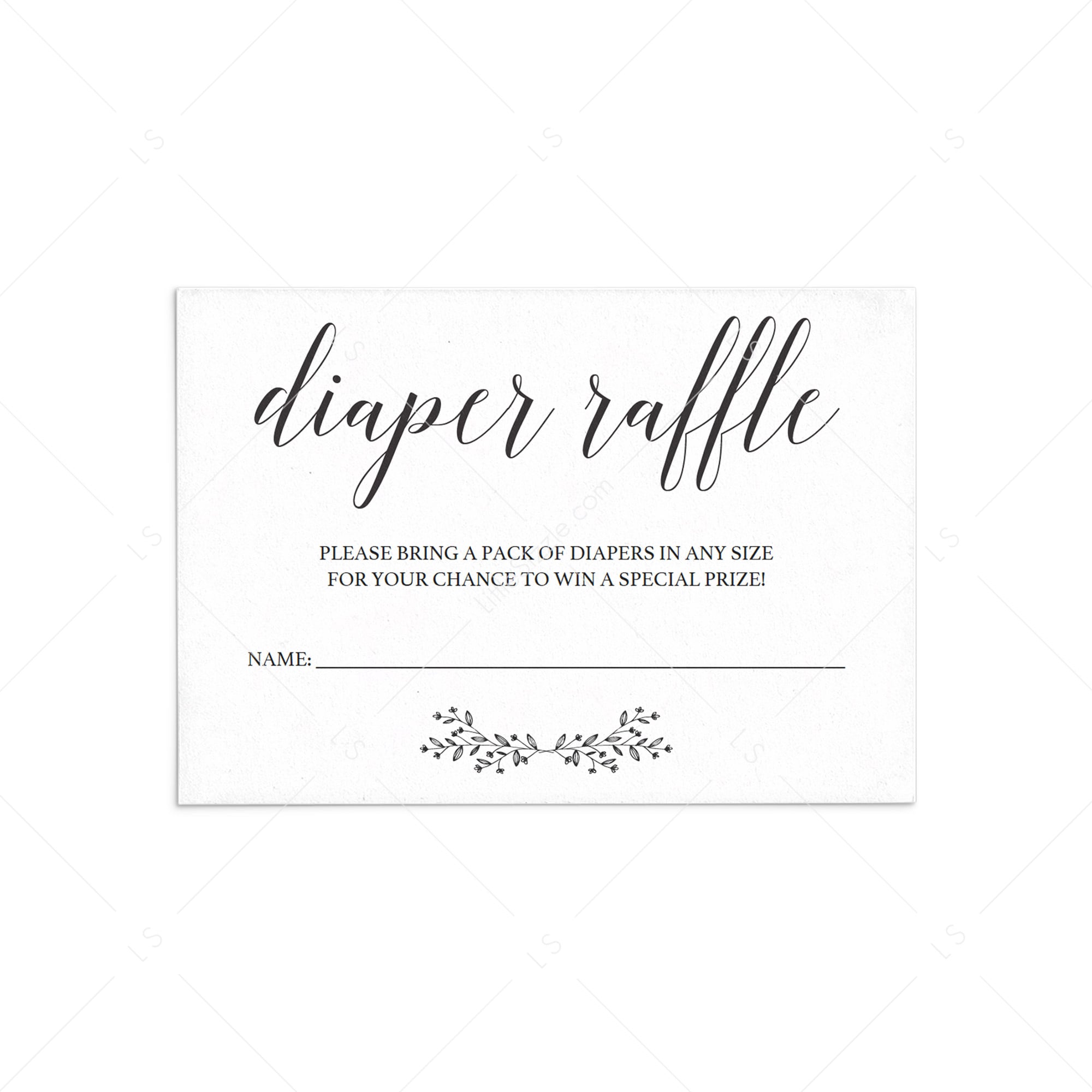
Who doesn't love a diaper raffle during a baby shower? Let your guests know they can win a great prize by bringing a pack of diapers with this gender neutral diaper raffle card. Include the simple, yet elegant, diaper raffle cards in your baby shower invitations before sending them out.
Easily personalize the diaper raffle card with your own words and print it right from your computer in a matter of minutes. Or have the cards printed at your favorite print shop.
This diaper raffle card has been designed in black and white. You can print on kraft paper to create a rustic look or print on colored cardstock for beautiful results.
A detailed instruction guide with tips & tricks on editing, trimming, paper choices and more is included.
Not sure if a printable template is right for you? Try it out first with our FREE sample template and decide if you are up for it!
This listing includes a zip file with the following items:
• 1 Editable PDF sized 3.5" x 5"
• 1 Editable PDF sized 8.5” x 11” with trim marks for 4 times the 3.5" x 5" design
• A download link to our instruction guide
Complete the look with matching items from the Tiny Leaves collection.
Easily personalize the diaper raffle card with your own words and print it right from your computer in a matter of minutes. Or have the cards printed at your favorite print shop.
This diaper raffle card has been designed in black and white. You can print on kraft paper to create a rustic look or print on colored cardstock for beautiful results.
A detailed instruction guide with tips & tricks on editing, trimming, paper choices and more is included.
Not sure if a printable template is right for you? Try it out first with our FREE sample template and decide if you are up for it!
This listing includes a zip file with the following items:
• 1 Editable PDF sized 3.5" x 5"
• 1 Editable PDF sized 8.5” x 11” with trim marks for 4 times the 3.5" x 5" design
• A download link to our instruction guide
Complete the look with matching items from the Tiny Leaves collection.
•High-resolution JPG and PDF files
•Ready-to-print format (no setup needed)
•Multiple sizes included (see product details)
•Instant download after purchase
You’ll also receive clear step-by-step instructions to help you print and use your files with ease.
1. Purchase
Click “Add to Cart” and complete your purchase.
2. Download
Once payment is confirmed, you’ll receive an instant download link on screen and via email.
3. Personalize
Open the PDF template in the latest free version of Adobe Acrobat Reader (download: www.get.adobe.com/reader).
Select the highlighted text fields and start typing. Use Cmd+E (Mac) or Ctrl+E (PC) to adjust font, size and color. Only highlighted text is editable; all other design elements are locked.
Please note: templates cannot be edited on tablets or mobile devices. Always check the product details to see which parts are editable.
4. Print and trim
Print at 100% (actual size) at home or via a local or online print shop, then trim along the trim marks.
Your download includes a step-by-step guide with simple tips for editing, printing and trimming your files, for beautiful prints every time.
5. Enjoy your party!
Click “Add to Cart” and complete your purchase.
2. Download
Once payment is confirmed, you’ll receive an instant download link on screen and via email.
3. Personalize
Open the PDF template in the latest free version of Adobe Acrobat Reader (download: www.get.adobe.com/reader).
Select the highlighted text fields and start typing. Use Cmd+E (Mac) or Ctrl+E (PC) to adjust font, size and color. Only highlighted text is editable; all other design elements are locked.
Please note: templates cannot be edited on tablets or mobile devices. Always check the product details to see which parts are editable.
4. Print and trim
Print at 100% (actual size) at home or via a local or online print shop, then trim along the trim marks.
Your download includes a step-by-step guide with simple tips for editing, printing and trimming your files, for beautiful prints every time.
5. Enjoy your party!
Digital product
•
This is a digital file (no physical item will be shipped)
Usage
•
For personal use only
•
Copyright remains with the designer
Important details
•
Colors may vary depending on screen and printer settings
•
Watermark is removed after purchase
•
All sales are final due to instant download delivery
Support
•
We’re always here if you need a little help along the way

You may also like
Recently viewed products
- Choosing a selection results in a full page refresh.